

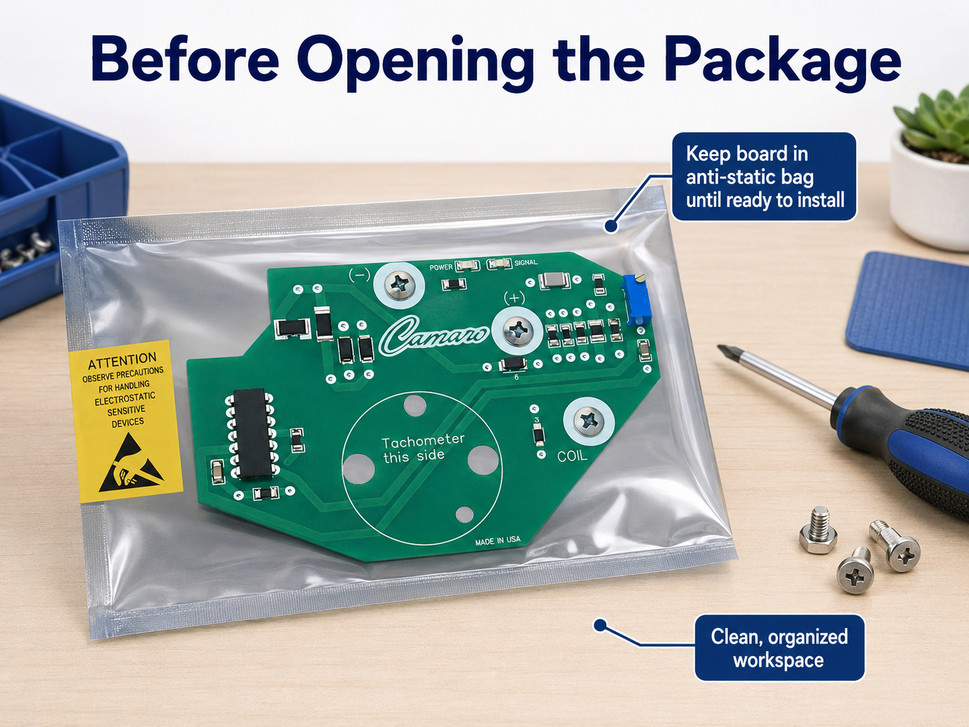
Replacement tachometer, speedometer, and instrument-cluster circuit boards contain electronic components that can be damaged by static electricity. Proper handling before and during installation helps protect the circuit board and reduces the possibility of immediate, intermittent, or premature failure.
Important: Leave the circuit board in its original anti-static packaging until you are ready to install it. Always disconnect the vehicle battery before removing or installing an instrument-cluster circuit board.
Note: If you are not comfortable disassembling the instrument cluster, or if removal involves airbag wiring or steering-column components, have a qualified technician perform the work.
Why Static Electricity Can Damage a Circuit Board
Electrostatic discharge, commonly called ESD, occurs when static electricity moves from one object to another. Walking across carpet, removing a synthetic jacket, sliding across a vehicle seat, or handling ordinary plastic can create a static charge.
A static discharge does not need to be strong enough for you to feel or hear it. A discharge that is unnoticed by the person handling the circuit board may still damage sensitive electronic components.
Static damage may cause:
- Immediate circuit-board failure
- Intermittent gauge operation
- Erratic or inaccurate readings
- A component failure that occurs later
- Reduced service life of the circuit board
1. Prepare Before Opening the Package
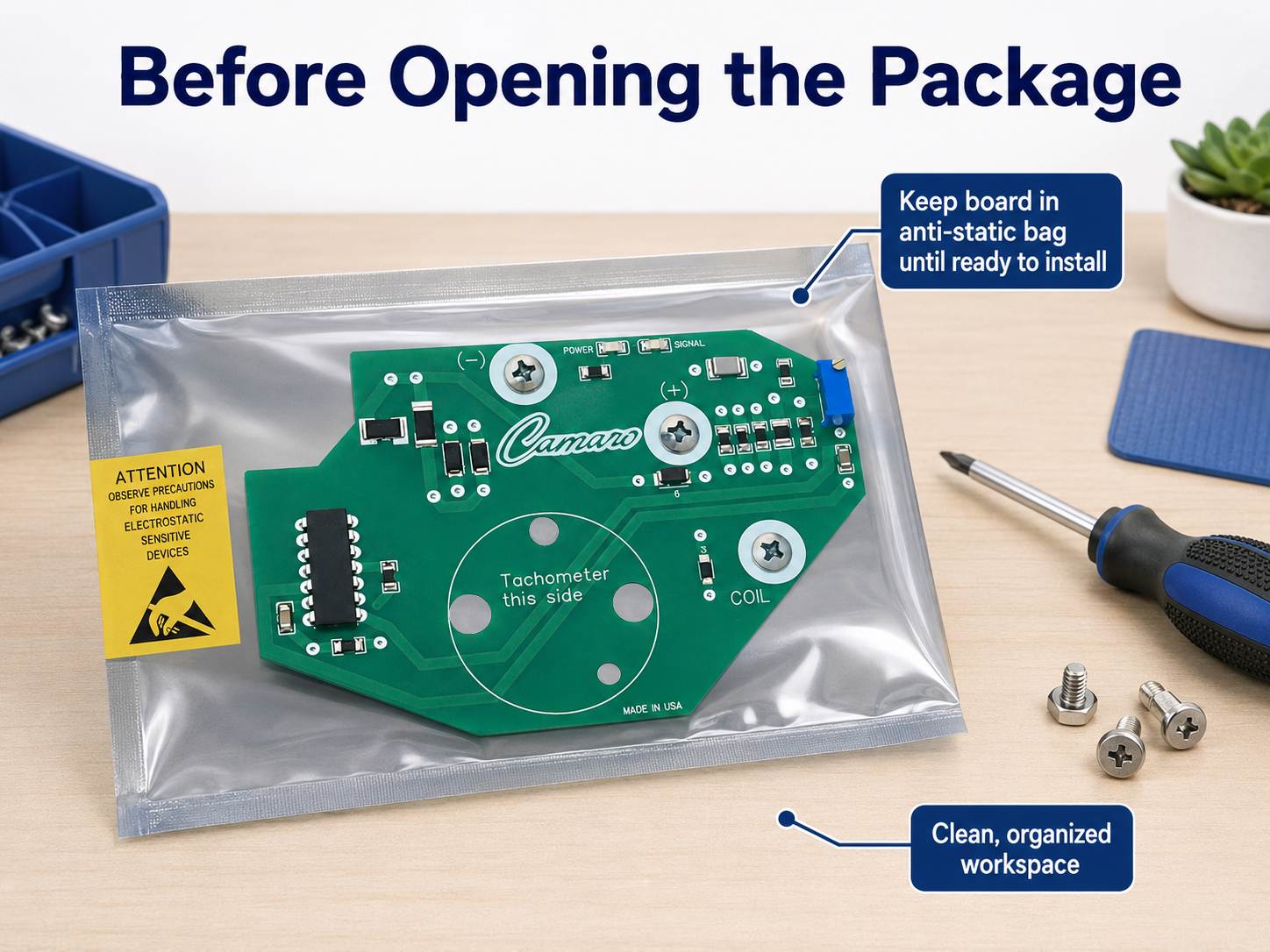
Do not open the anti-static bag until you are ready to install the board. First, prepare the vehicle, tools, and work area so the circuit board will spend as little time as possible outside its protective packaging.
Before opening the bag:
- Park the vehicle in a clean, dry, well-lighted location.
- Turn the ignition off and remove the key.
- Disconnect the negative battery cable.
- Prevent the disconnected cable from accidentally touching the battery terminal.
- Gather the necessary tools before removing the circuit board from its packaging.
- Remove loose jewelry that could contact electrical terminals.
- Review the appropriate vehicle service information before disassembling the instrument cluster.
Battery reminder: Some vehicles or installed accessories may have special battery-disconnection procedures. Follow the applicable service instructions for the vehicle.
2. Prepare a Static-Safe Work Area
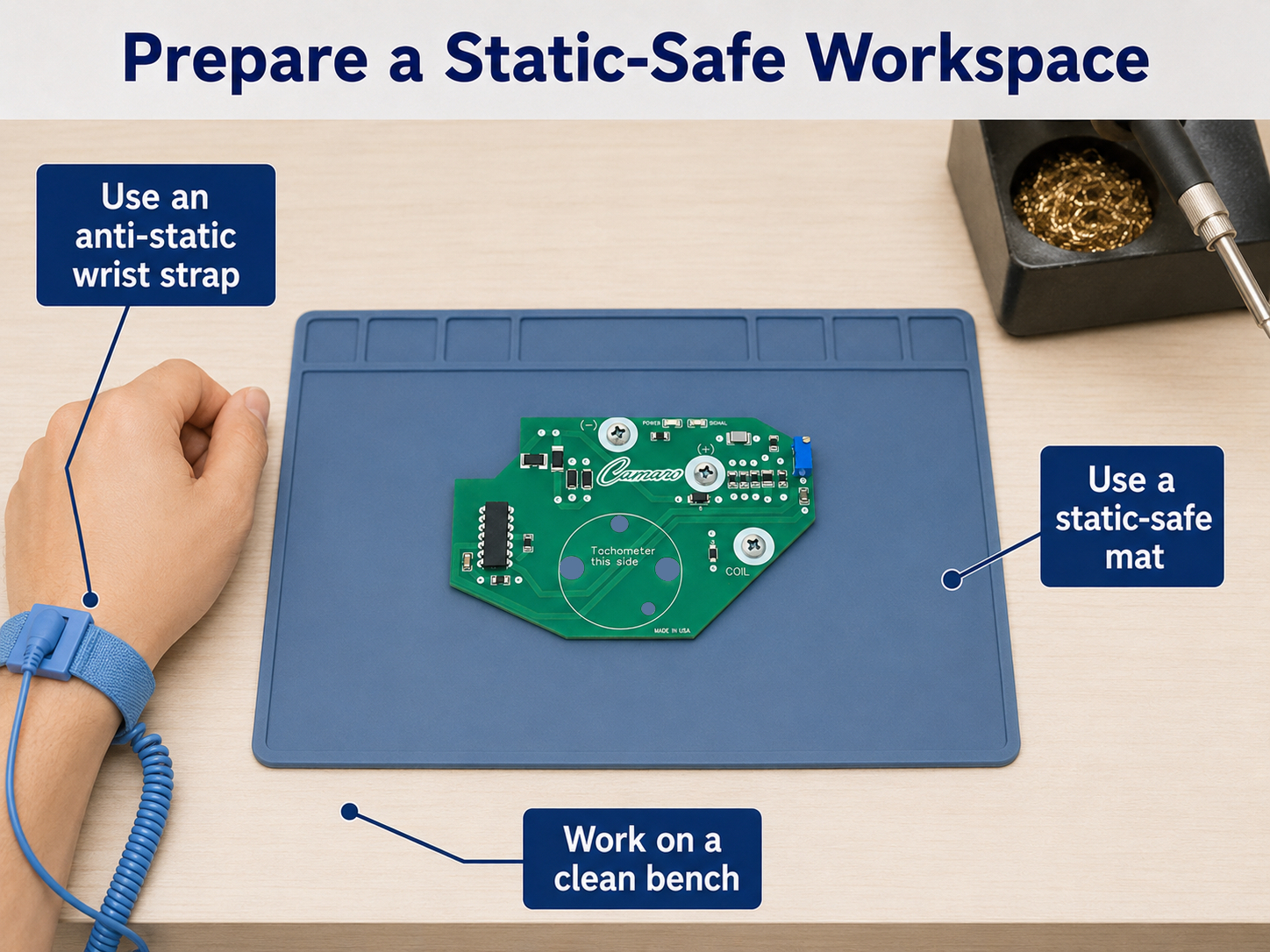
The preferred method is to use a properly grounded anti-static work mat and a commercially manufactured anti-static wrist strap. The wrist strap should contain the proper safety resistor and should be connected only as directed by its manufacturer.
A suitable work area should be:
- Clean and dry
- Free of loose screws, washers, and metal debris
- Away from carpet when practical
- Away from food, beverages, cleaners, and lubricants
- Free of ordinary plastic bags, plastic wrap, and packing foam
- Large enough to place the circuit board without stacking items around it
Materials to Avoid
Do not place the circuit board on carpet, upholstery, Styrofoam, foam padding, vinyl, blankets, or ordinary plastic. These materials can generate or retain static electricity.
Do not replace the supplied anti-static bag with an ordinary resealable plastic bag. When the circuit board is not being installed, return it to its original anti-static packaging.
3. Handle the Circuit Board Only by Its Edges
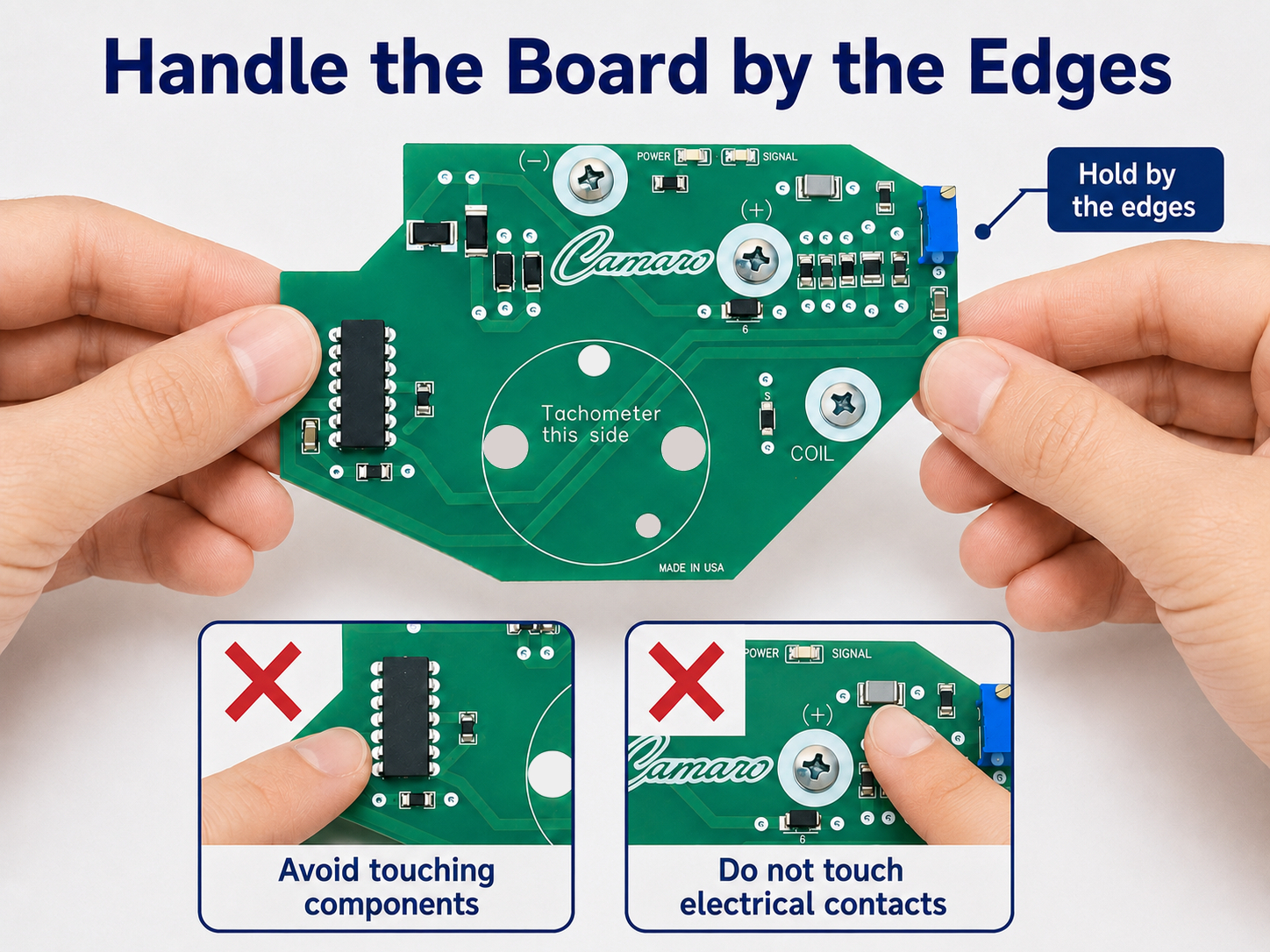
Remove the circuit board from the anti-static bag only when you are ready to install it. Hold the board by its outer edges or approved mounting areas.
Avoid touching:
- Electronic components
- Integrated circuits or microprocessors
- Solder joints
- Printed copper traces
- Gold or silver connector contacts
- Gauge terminals
- Exposed electrical contact surfaces
Oils, moisture, and contamination from your fingers can also affect electrical contacts. Do not wipe the circuit board with a household cleaner, solvent, shop towel, or compressed-air nozzle unless the product instructions specifically direct you to do so.
4. Avoid Unnecessary Movement While Handling the Board
Movement can create additional static charge. After grounding yourself and removing the circuit board from its package, avoid walking across the room, sliding across the vehicle seat, removing clothing, or handling plastic materials.
If you leave the work area or move around significantly, repeat your static-control procedure before touching the circuit board again.
5. Installation Precautions
Static protection is important, but physical damage during installation is also a common concern. Inspect the circuit board, instrument cluster, connectors, and mounting hardware before assembly.
During installation:
- Confirm that the battery remains disconnected.
- Compare the replacement board with the original board before installation.
- Verify the orientation of connectors, terminals, gauges, and mounting holes.
- Inspect connectors for corrosion, bent terminals, heat damage, or looseness.
- Transfer any required original spacers, insulators, clips, or hardware.
- Make certain gauge terminals enter the correct openings and remain centered.
- Do not force the board, connector, gauge, or terminal into position.
- Do not flex, bend, or twist the circuit board.
- Keep screws and tools from contacting components or circuit traces.
- Start fasteners by hand to prevent cross-threading.
- Tighten fasteners evenly and only as required to secure the board.
- Confirm that the board is fully seated before reconnecting the battery.
Do not force electrical connections. If the board does not fit or a terminal does not align, stop and determine the cause. Forcing the assembly can crack the board, damage a connector, bend a terminal, or damage a gauge.
6. Common Handling Mistakes
Avoid these common mistakes:
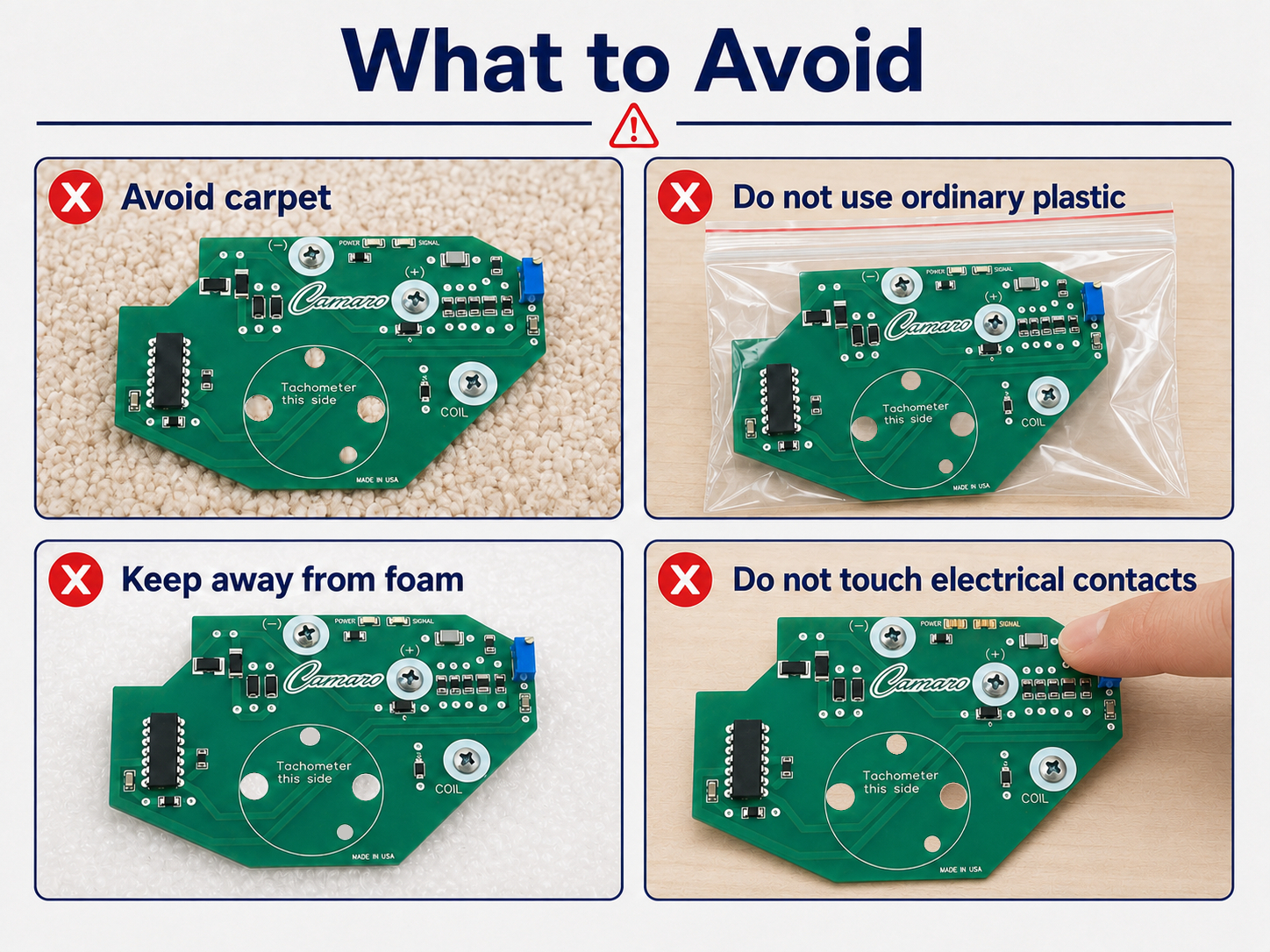
- Opening the anti-static bag while standing or working on carpet
- Placing the board on a vehicle seat, carpet, cardboard box, foam, or ordinary plastic
- Touching connector contacts to inspect or clean them
- Carrying the unprotected board around the work area
- Sliding the board across a workbench
- Stacking tools or parts on top of the board
- Installing the board while the battery is connected
- Forcing a connector or misaligned gauge terminal
- Overtightening mounting screws
- Leaving loose hardware inside the instrument cluster
What If You Do Not Have ESD Equipment?
A grounded anti-static mat and wrist strap provide the preferred protection. When specialized ESD equipment is unavailable, the following steps can help reduce risk, although they are not a substitute for a properly equipped static-safe workstation:
- Work in a clean area with a hard floor rather than carpet.
- Avoid synthetic clothing, fleece, blankets, foam, and ordinary plastic.
- Disconnect the vehicle battery before beginning.
- Before reaching for the circuit board, touch an unpainted metal part of the vehicle chassis.
- Avoid walking around or sliding across the seat after touching the chassis.
- Open the anti-static bag only when installation is ready to begin.
- Hold the board only by its edges.
- Return the board to its anti-static bag if installation is interrupted.
Final Installation Checklist
Before removing the board from its anti-static bag:
- ☐ Ignition is off and the key is removed
- ☐ Negative battery cable is disconnected and isolated
- ☐ Work area is clean and dry
- ☐ Carpet, foam, and ordinary plastic are avoided
- ☐ Static-control precautions are in place
- ☐ Tools and mounting hardware are ready
- ☐ Connectors and terminals have been inspected
- ☐ Board will be handled only by its edges
- ☐ Required spacers and insulators are correctly positioned
- ☐ Board is correctly aligned and fully seated
- ☐ No loose tools or hardware remain inside the cluster
Frequently Asked Questions
Can I touch the circuit board if I do not feel any static electricity?
Static electricity can damage electronic components at levels below what a person can feel. The absence of a noticeable spark does not mean that no electrostatic discharge occurred.
Can I place the circuit board on the outside of its packaging?
The safest practice is to leave the board inside its original anti-static bag until installation and return it to the bag whenever it is not being handled. Do not use the bag as a general-purpose work surface unless its manufacturer specifically identifies it for that use.
Can I wear ordinary work gloves?
Ordinary fabric, rubber, or disposable gloves are not automatically static-safe and may reduce your ability to hold the board securely. Use gloves only when they are specifically rated for ESD-sensitive electronics and are appropriate for the work being performed.
Should I clean the connector contacts before installation?
Do not clean, sand, scrape, or apply chemicals to the circuit-board contacts unless the product instructions or vehicle service information specifically require it. Improper cleaning can remove protective plating or leave contamination on the contacts.
What should I do if installation is interrupted?
Place the circuit board back into its original anti-static bag and store it in a clean, dry, protected location. Do not leave the board exposed on a seat, bench, dashboard, or tool cart.
Protect the Board Before Power Is Applied
Proper handling requires only a few additional steps, but those steps can prevent avoidable circuit-board damage. Keep the board in its anti-static packaging, prepare the workspace first, disconnect the vehicle battery, hold the board by its edges, and never force the assembly into place.
After installation, inspect the work area and instrument cluster one final time before reconnecting the battery. Confirm that all connectors are secure, all fasteners are properly installed, and no tools or loose hardware remain inside the assembly.
General notice: These instructions provide general handling guidance for replacement automotive electronic circuit boards. Vehicle designs and installation procedures vary. Always follow the product instructions and the applicable vehicle service manual.